EN
EN
 jp
jp  ko
ko  CN
CN











Call

When your workspace feels cramped, text looks fuzzy, or creative work loses precision, the culprit is often your Notebook Display resolution. Understanding the difference between FHD, 2K, and 4K can help you choose the screen that truly fits your workflow and expectations.
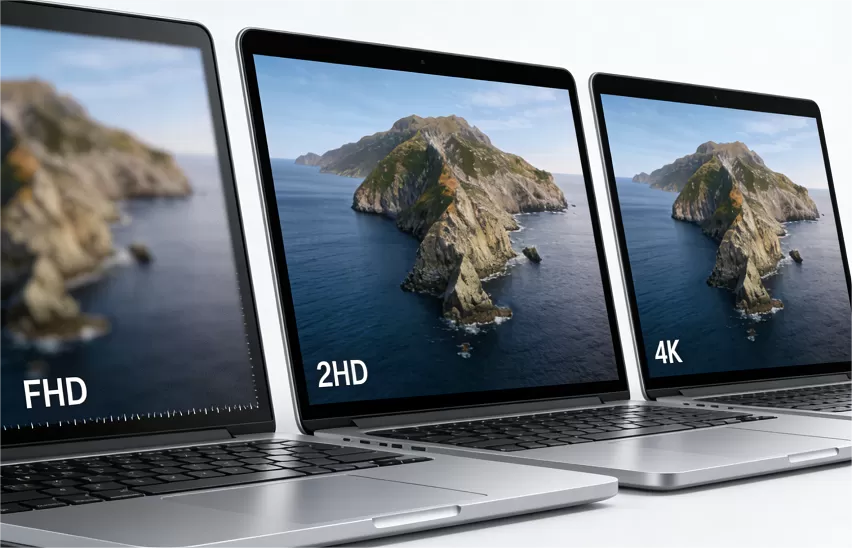
FHD (1920 × 1080) is the most common resolution found in mainstream laptops.
On a Notebook Display, FHD is usually enough for general tasks such as browsing, office work, and streaming videos.
Pros:
Good battery life
Light GPU load
Affordable
Cons:
Limited workspace
Slight pixelation on bigger 15–17" screens
Not ideal for design or detail-oriented work
FHD is fine for basic use—but once you multitask or require clarity, its limitations show.
2K (2560 × 1440) offers noticeably sharper visuals and more desktop space. On a Notebook Display, 2K hits the balance between clarity, performance, and efficiency.
Why it matters:
More workspace for spreadsheets, code, and multitasking
Better color accuracy for creators
Sharper UI elements without heavy GPU pressure
If you want an upgrade without jumping to ultra-high-end specs, a 2K Notebook Display is the ideal middle ground.
4K (3840 × 2160) pushes the Notebook Display into the realm of ultra-fine clarity. It’s the choice for photographers, video editors, engineers, and anyone who needs precision.
Benefits:
Extremely sharp images and text
Best for media creation and color-critical work
Perfect for detailed visual workflows
Trade-offs:
Higher power consumption
Requires stronger GPU
More expensive
4K looks stunning—but it's only necessary if your work truly requires that level of detail.
Choosing the right Notebook Display resolution depends on how you work:
FHD for basic tasks
2K for productivity and everyday professional use
4K for top-tier creative and technical work
A better display isn't just clearer—it makes your entire laptop feel more powerful.


Contact Info
Let's discuss how K&D's display solutions can bring your next-generation product to life.
Call
Add